

01Pre-release · version 2.15 · macOS, Apple Silicon
AI agents test your business ideas.
You hold the gate.
VictorOS is a local-first Mac app that runs a small team of agents to find, vet and test ideas. Talk to Victor, who lines up each action for you to confirm. Nothing leaves the app until you click.
- Local-first
- You approve
- Sources checked
- Kill switch
Scroll, swipe, or use the arrow keys.
02 Meet Victor
Ask for anything.
Then press Confirm.
Victor is the chat that runs the app with you. Ask what to do next, to open a screen, to approve an idea, to run a research session. He lines it up as a card, and you press Confirm.
He knows which screen you are on, so “this” and “the first one” mean what you see. Anything that spends tokens or decides something waits for your yes.
03 What it is
Agents do the slow work.
You open the gate.
Scouts find ideas. An evidence check opens the cited sources. A filter ranks what is left and an analyst scores the best. Then it stops, and waits for you.
- Evidence before claims. Every number an idea states is checked against a page that was really fetched. The rest is labelled unverified.
- A person approves. Rejecting with a reason teaches the agents your taste.
Simulation. Placeholder ideas, not real results. Keys: A approve, R reject.
04 What it does
Ten things,
none of them hidden.
Victor
Victor is the chat that runs the app with you. Ask for anything: what to do next, to open a screen, to approve an idea, to run a research session. He lines it up as a card. You press Confirm. He knows which screen you are on, so “this” and “the first one” mean what you see.
Browser agent
Give the browser agent a task and a real browser window opens. You see the page, you see what it thinks at each step, and you can take over the mouse at any moment, then hand it back with a note. It asks before it sends, buys or deletes anything. It never types a password or a card number. It only opens the public web.
Agents
Up to eight research agents, each with a name, persona, mission, memory and idea bank. Start from a style (Trend Hunter, Contrarian, Operator, Customer Voice, Numbers Person, Marketer) or write your own. They take turns, top up their banks on a schedule you control, and rest when the bank is full. They learn only from their own ideas: what you approve, reject, retire, and what earns money. The org chart shows you, Victor and the teams.
Talk to the agent
Every idea has a conversation. Ask, object, or say “approve it, but only recurring revenue.” The app reads your intent and acts, and the planner and analyst read the whole conversation later. Re-scoring also proposes a close variant built to score higher.
Sounding board
Put an idea or question to a council of your agents plus guest personalities. They debate for one to three rounds and respond to each other. A chair gives a verdict (go, refine or stop), where they agreed and split, and next steps. Everything said is kept and readable.
School
Send an agent to class on a course (pricing, proving demand, first customers by email, marketplace rules, unit economics, reliable automation, staying out of trouble) or any topic. It reads real pages and keeps a few lessons, each marked checked or unchecked against its source. Star a lesson to keep it, or forget it.
Business library
Short summaries, in the product’s own words, of the core ideas in twelve business books, from The Lean Startup to Atomic Habits. A Business Advisor picks the books that apply to an idea and returns a verdict, strengths, gaps and next actions. These are summaries, not the books. Read the originals.
Evidence, not vibes
Agents look for real forum posts, Reddit first, before claiming demand. Results share one structure (community, link, quote, date), so the same evidence is a citation and a list of where buyers gather. Anything unchecked is labelled “[unverified — source unavailable]” on the idea, in exports, and on any draft. If forum search is down, the idea says so.
Live and team room
See every job that is running right now, which AI is doing it, and why that AI was chosen. The team room is a feed with channels (general, ideas, outreach, sounding board) where every agent and role posts in its own voice and your decisions appear too. Nothing is hidden.
Approval inbox
Outreach emails, landing copy, customer deliverables and alerts wait here. With email connected, an approved draft can be sent from a real inbox with your postal address and an opt-out line on every message, a daily send cap, no repeat cold emails and a do-not-email list. Replies return to the idea’s conversation.
05 The browser you can watch
See every step.
Take the mouse any time.
Give the browser agent a task and a real browser window opens. You see the page and what it thinks at each step, and you can take over the mouse at any moment.
- It asks first. Anything that sends, buys or deletes waits for your yes. It never types a password or a card number.
- It does not pretend. If a site blocks automated browsing or asks for proof you are a person, it stops and gives you the window.
06 The app
This is the app.
Every screen, up close.
Real screens, shown with sample data. Click any screenshot to enlarge it.
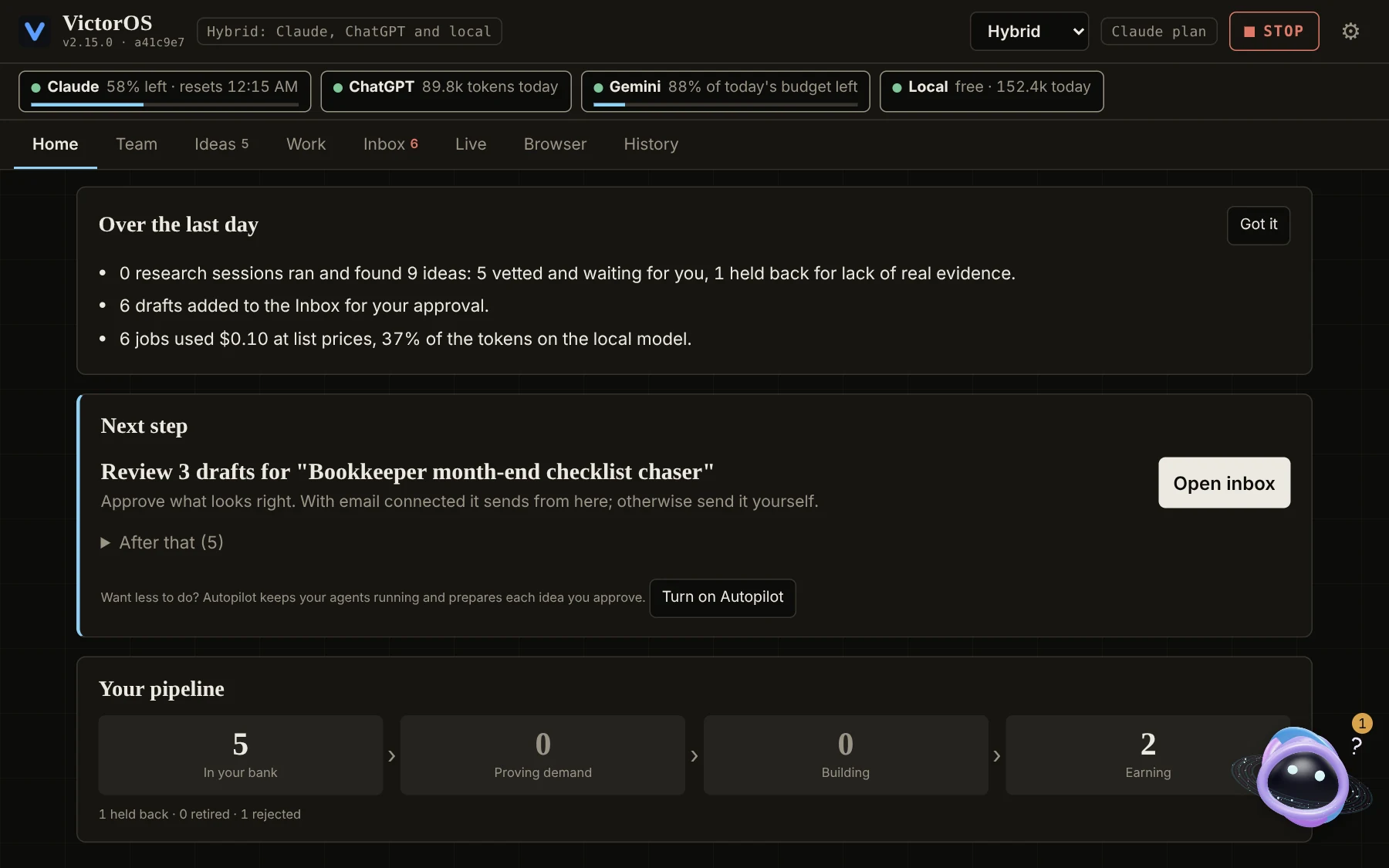
Home. Home gives you one clear next step, and a short note on what happened while you were away. 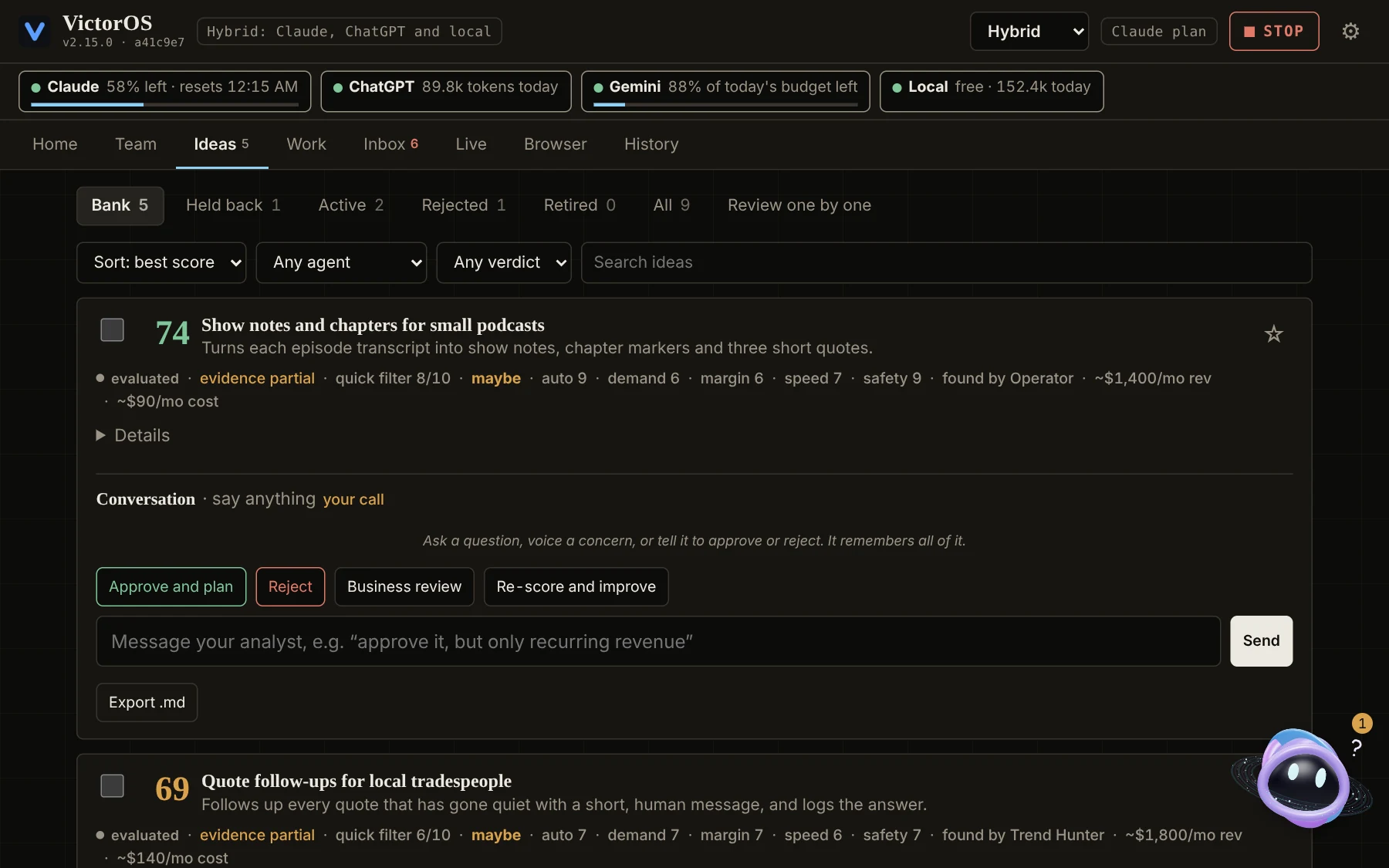
Ideas. Every idea has a score, an evidence rating and a conversation. Approve, reject, re-score, or ask for a business review. 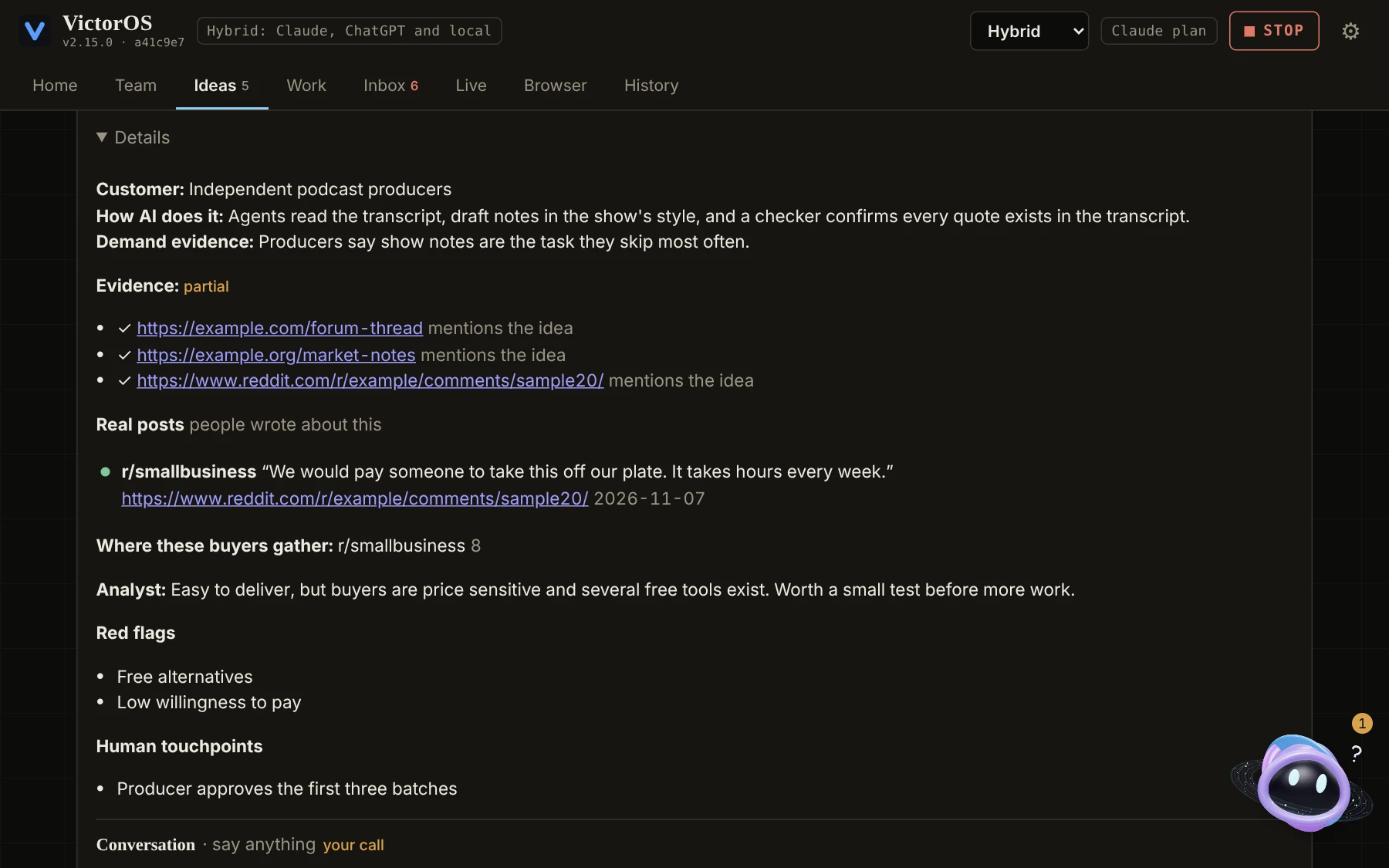
Evidence. Open an idea and I show the sources: links, real posts people wrote, where buyers gather, and my red flags. 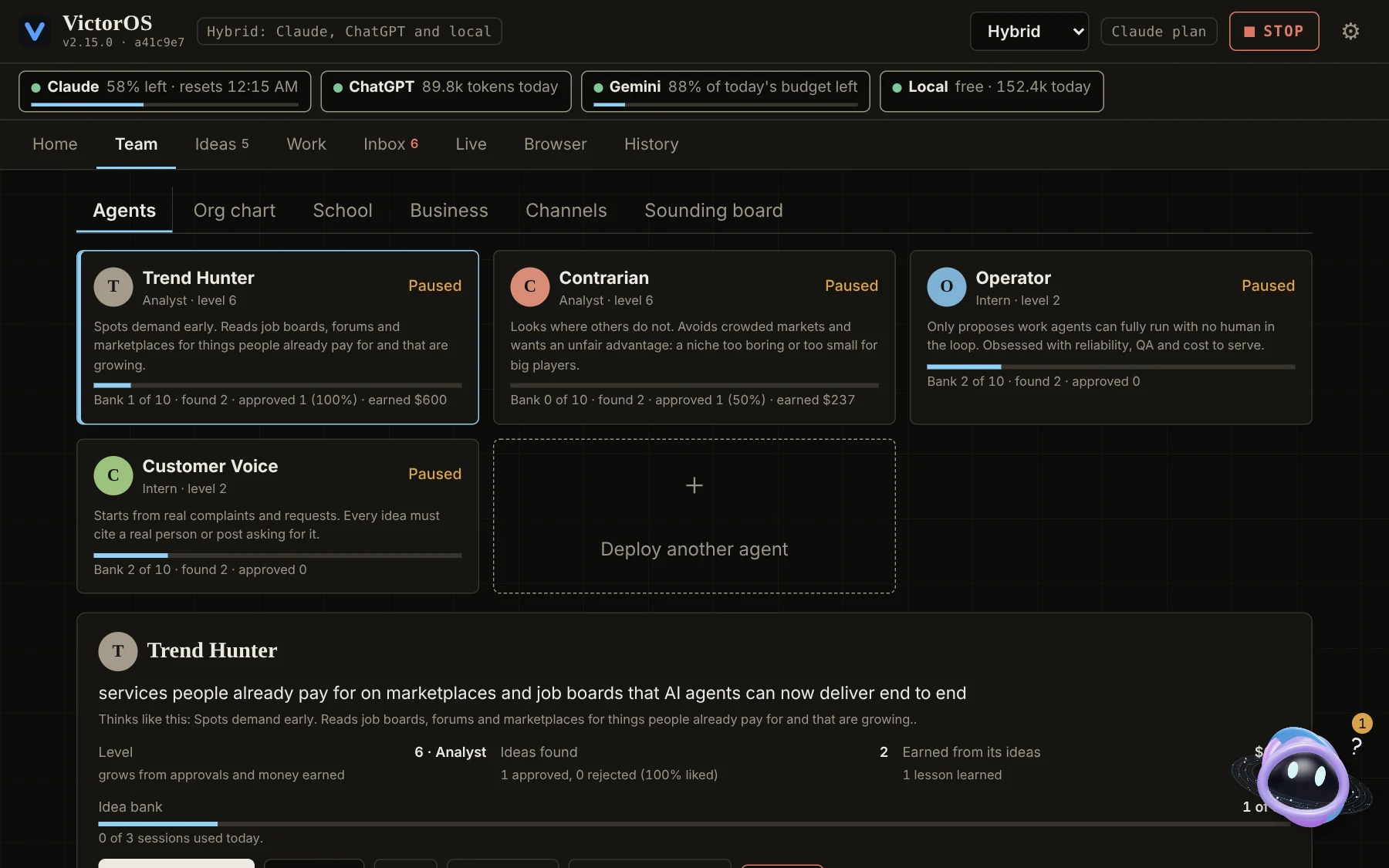
Agents. These are my agents. Each has a persona, a level, a memory and an idea bank. 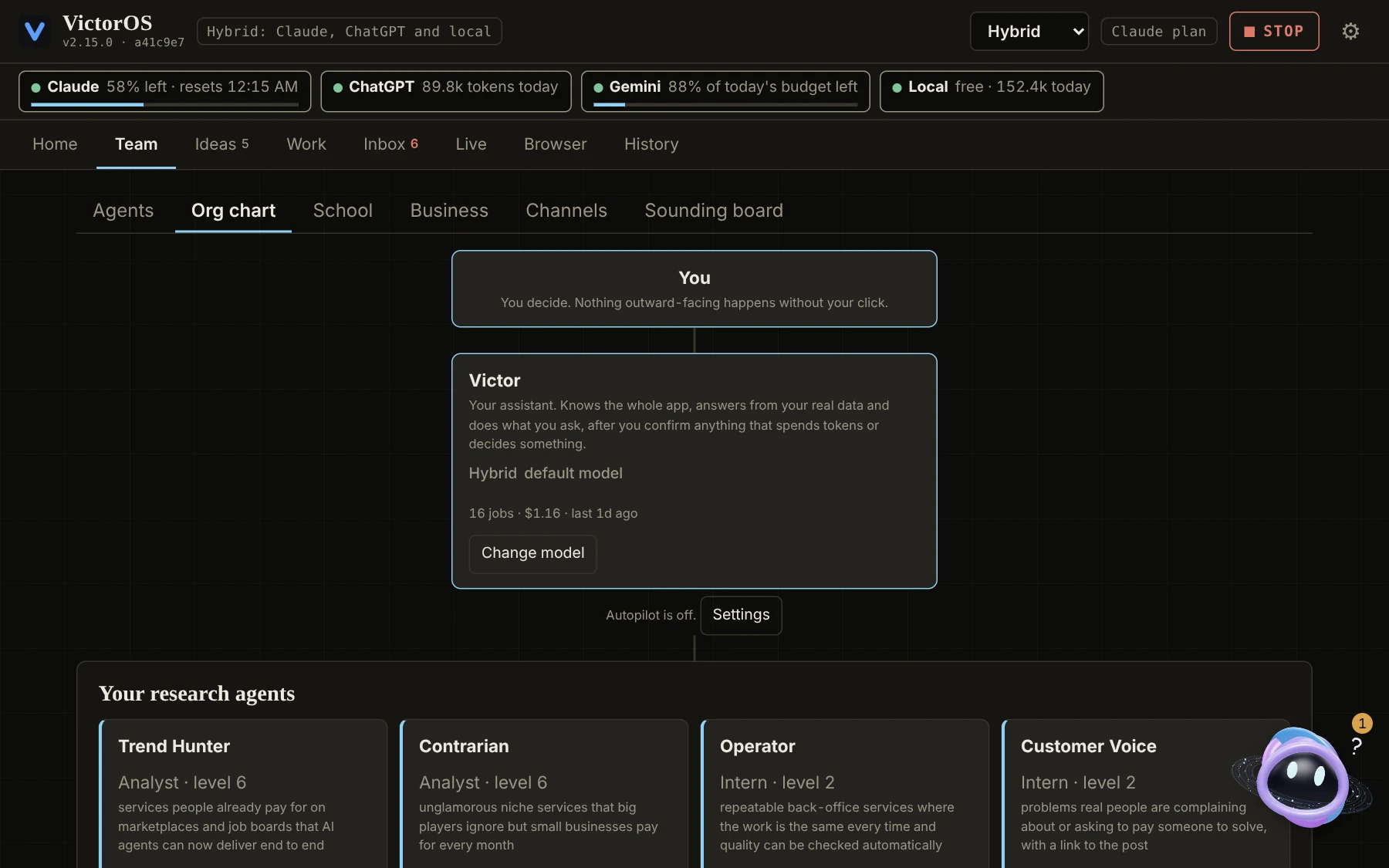
Org chart. The org chart: you, then me, then my teams. You decide. 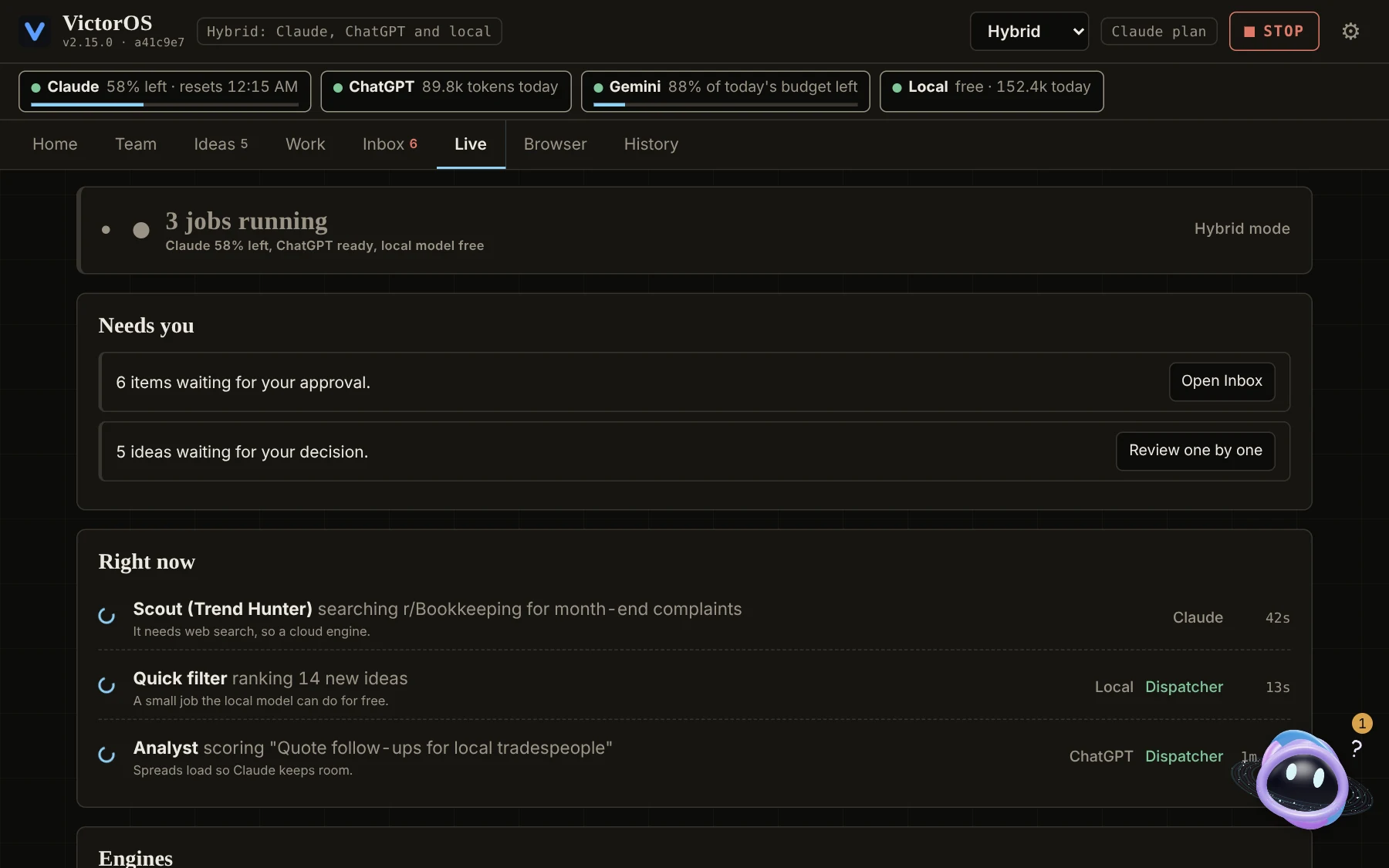
Live. Live shows every job running right now, which AI is doing it, and why I chose that AI. 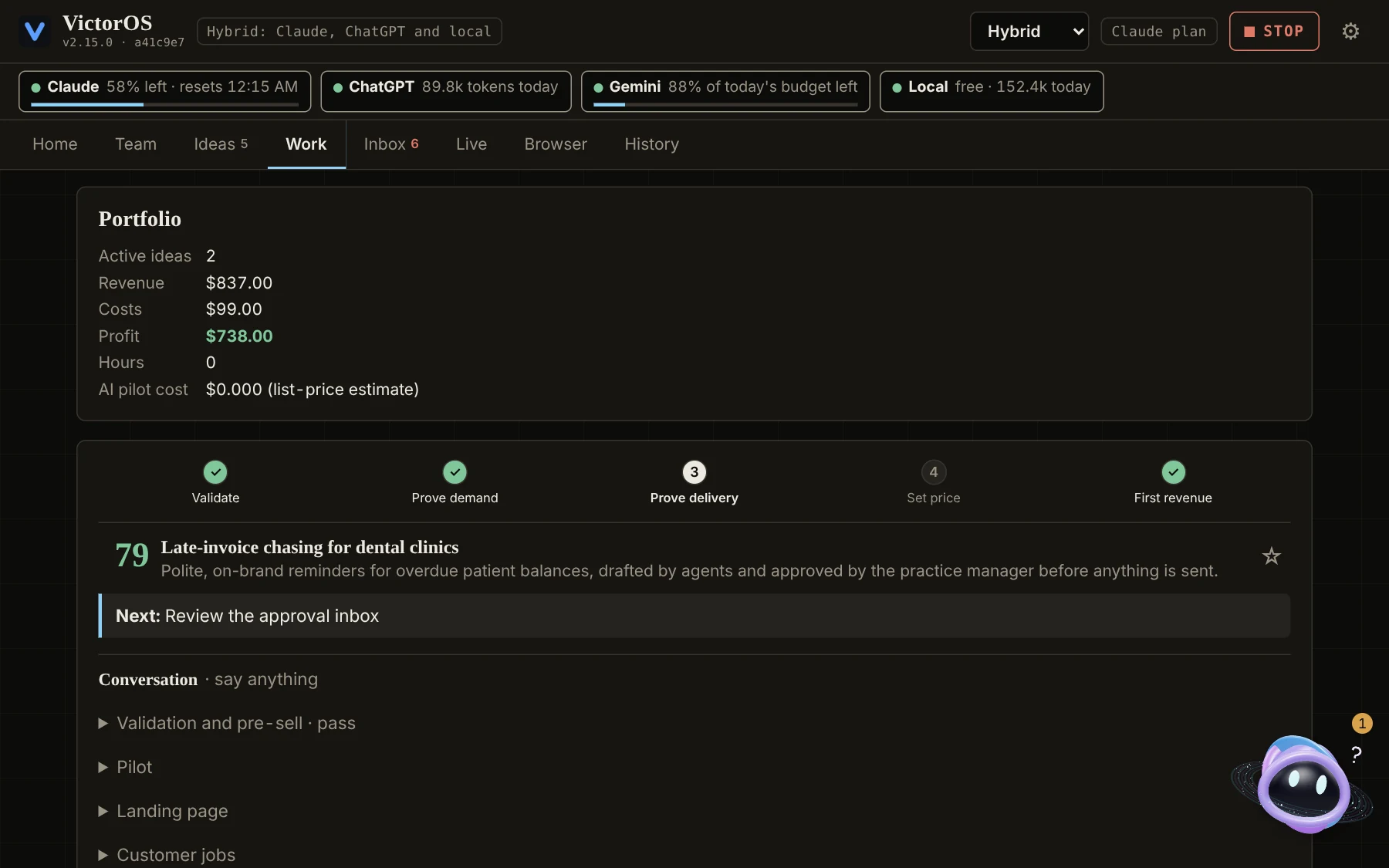
Work. Approved ideas get a step-by-step path: validate, prove demand, prove delivery, set a price. 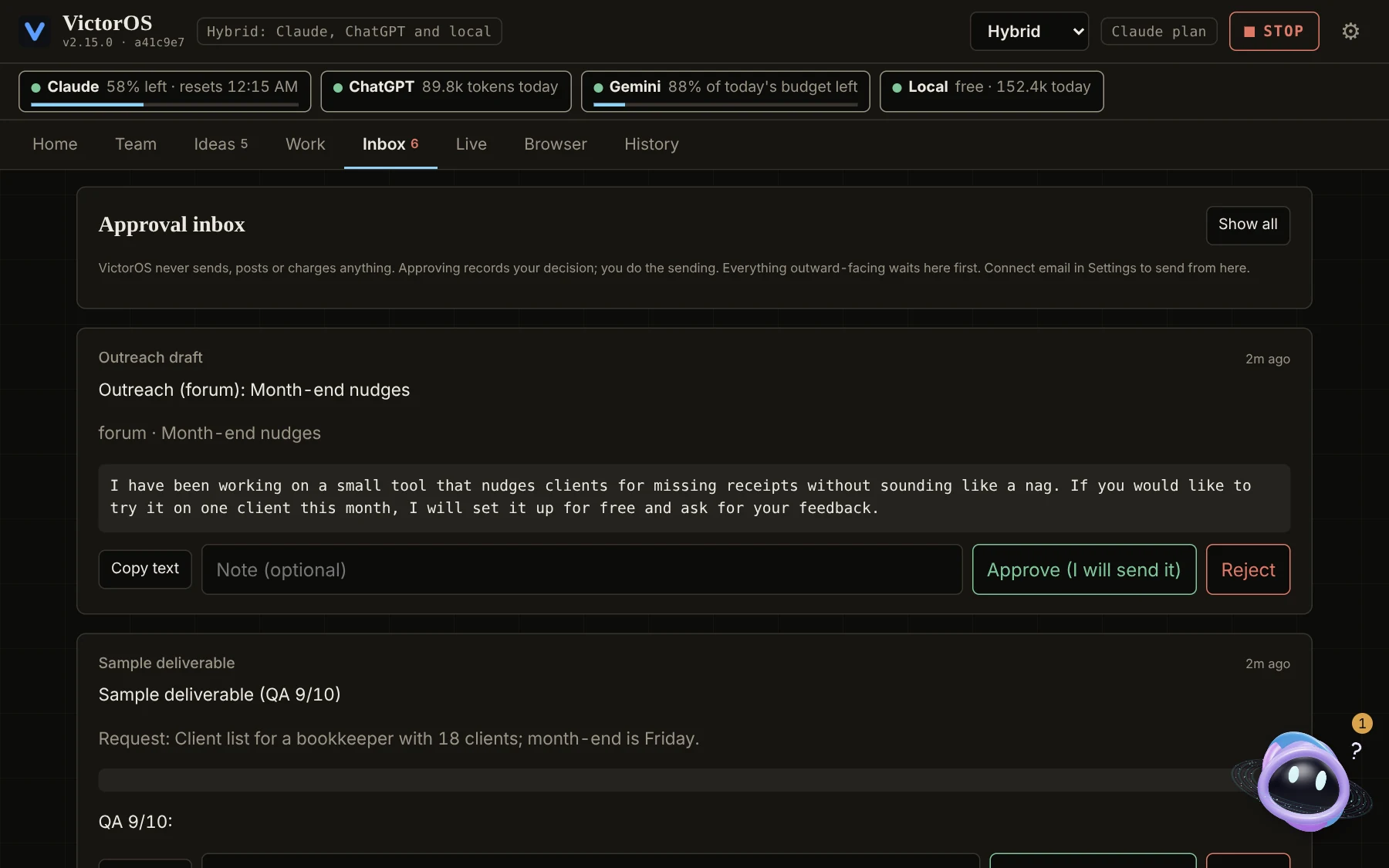
Inbox. Anything outward-facing waits here for a click. I never send, post or charge anything on my own. 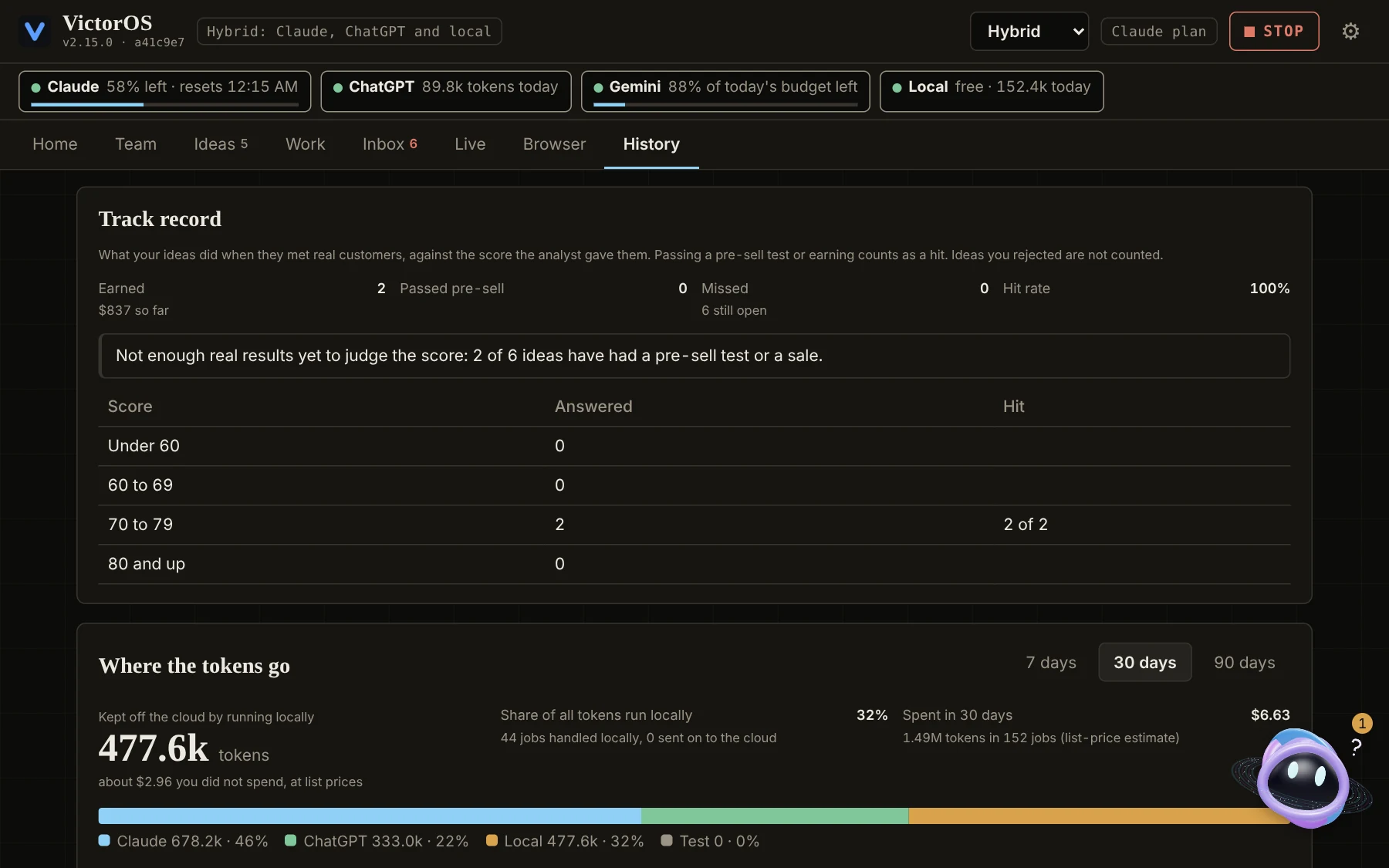
Track record. History shows how my scores compared with real outcomes, and where the tokens went. 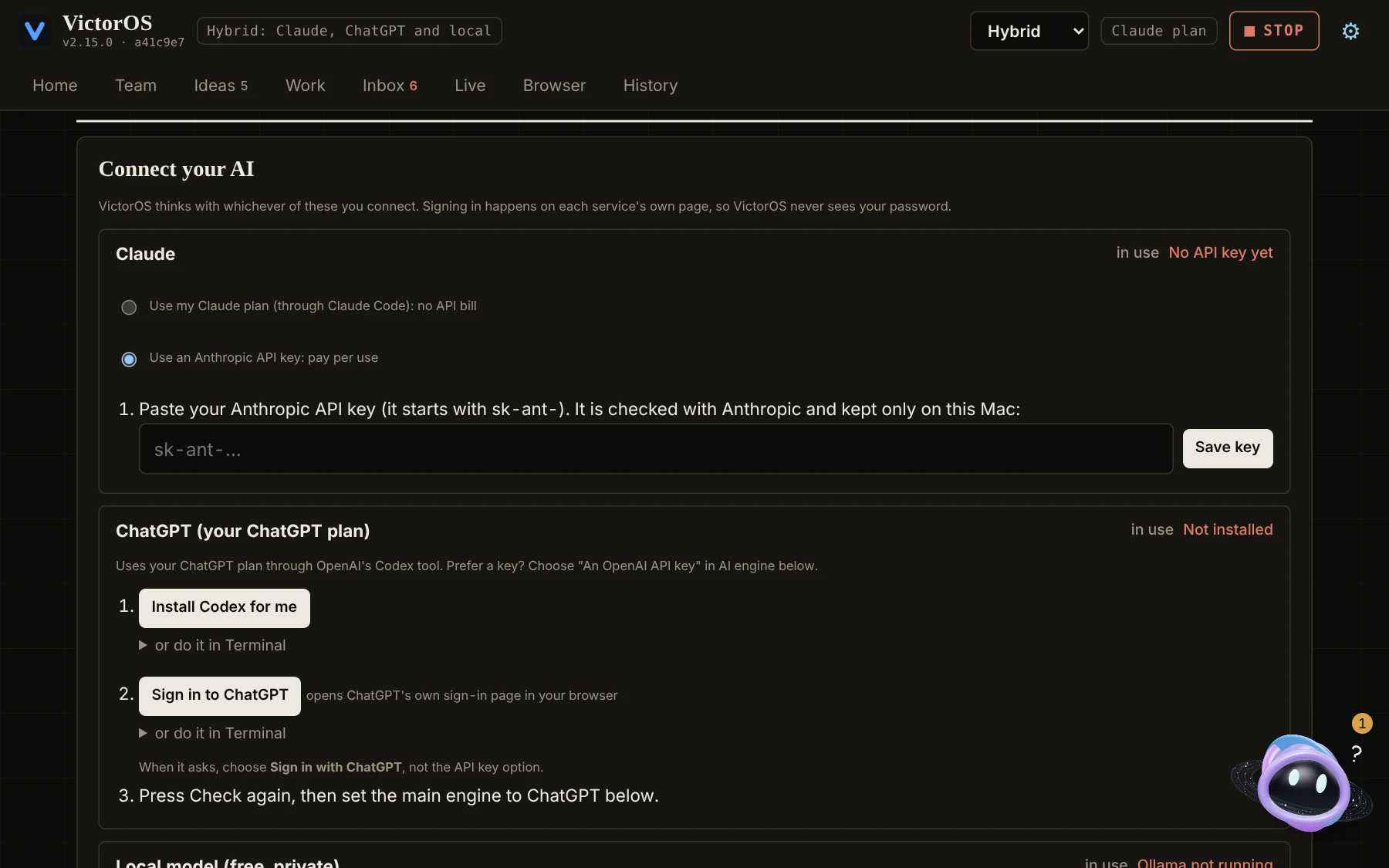
Connect. Connect your AI with buttons. Install, sign in, done. No terminal. 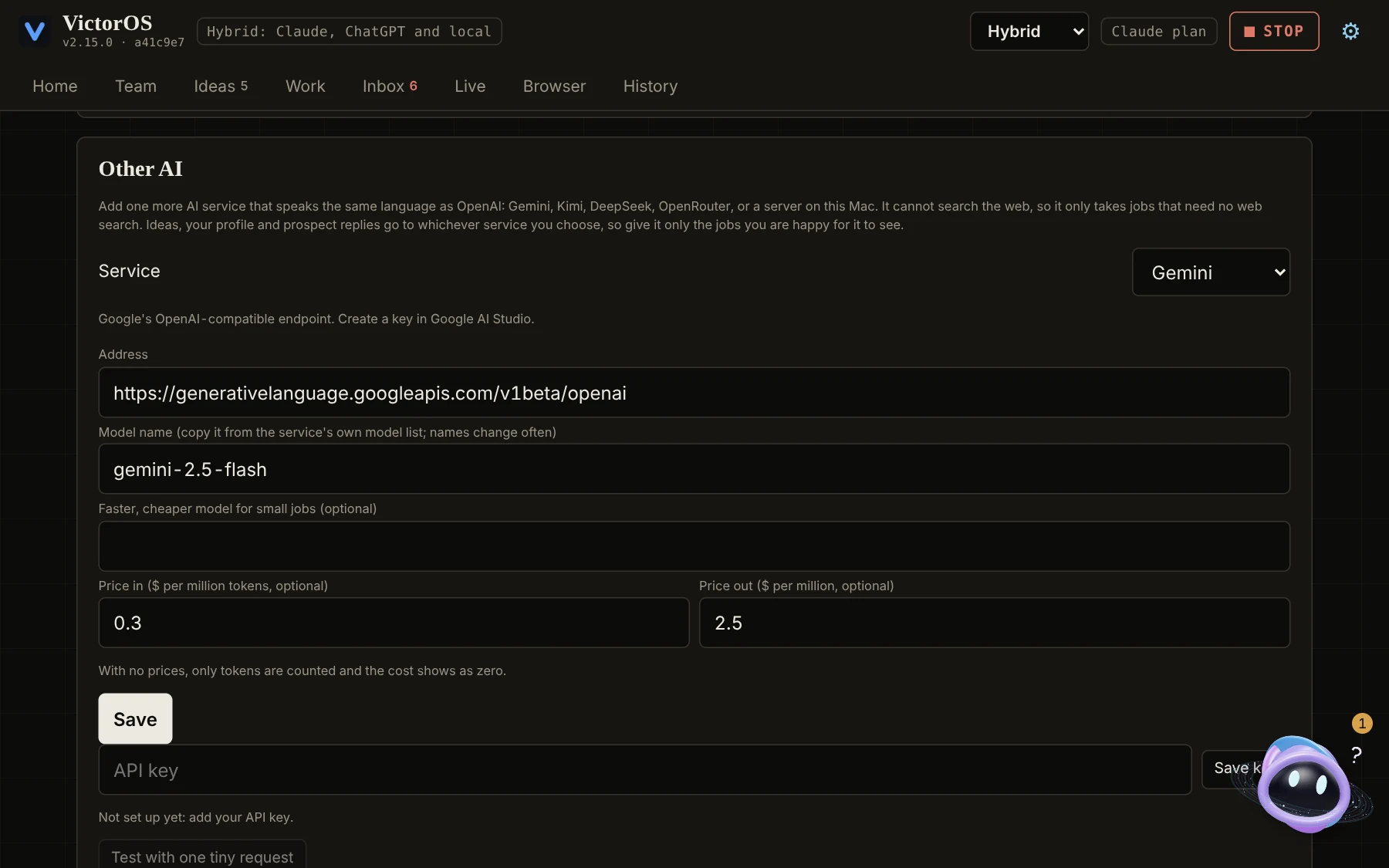
Other AI. Add one more service that speaks the OpenAI chat format: Gemini, Kimi, DeepSeek, OpenRouter, or a server on your Mac. 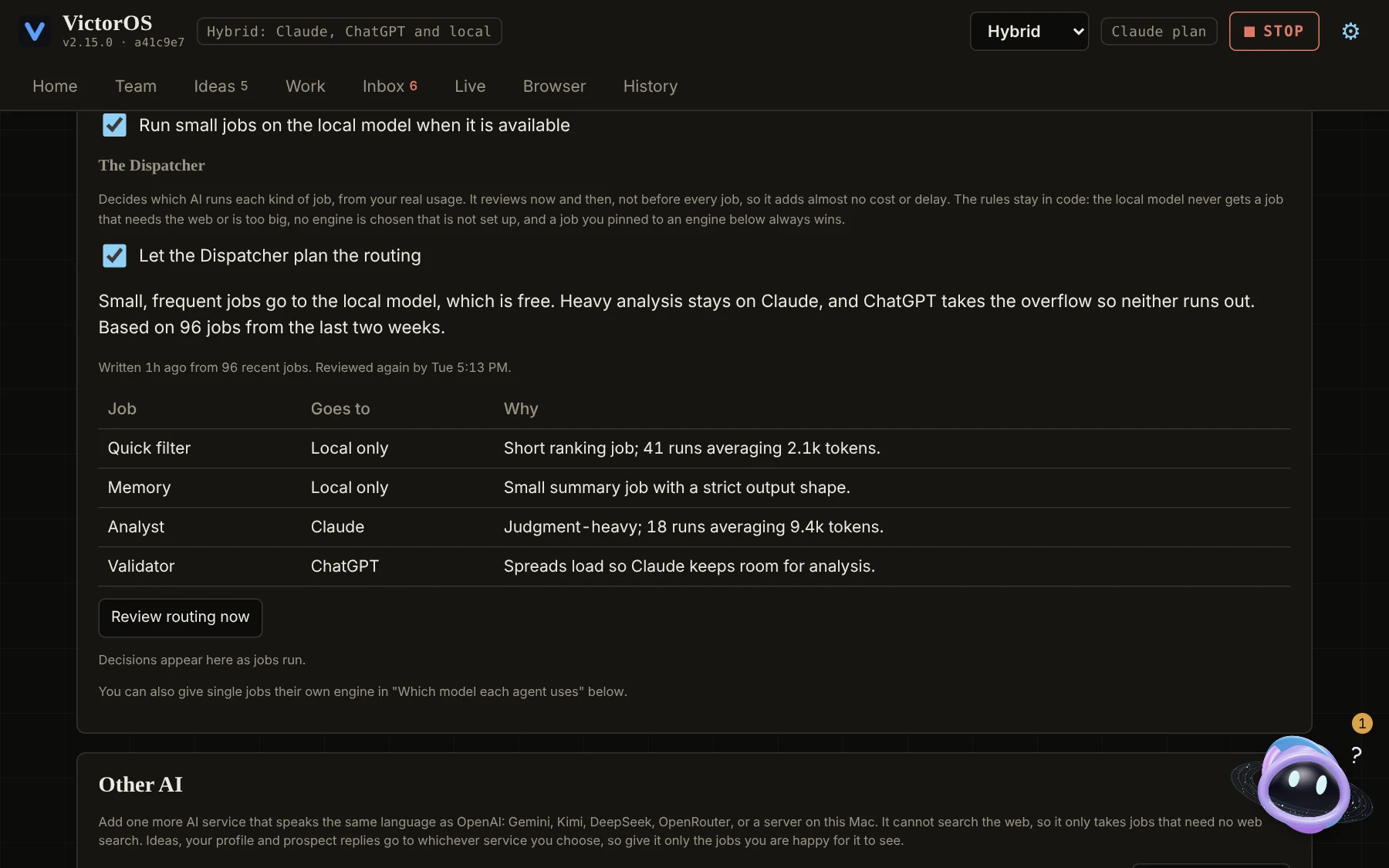
Dispatcher. In Hybrid I plan which AI runs which job from your real usage, with a reason for each. 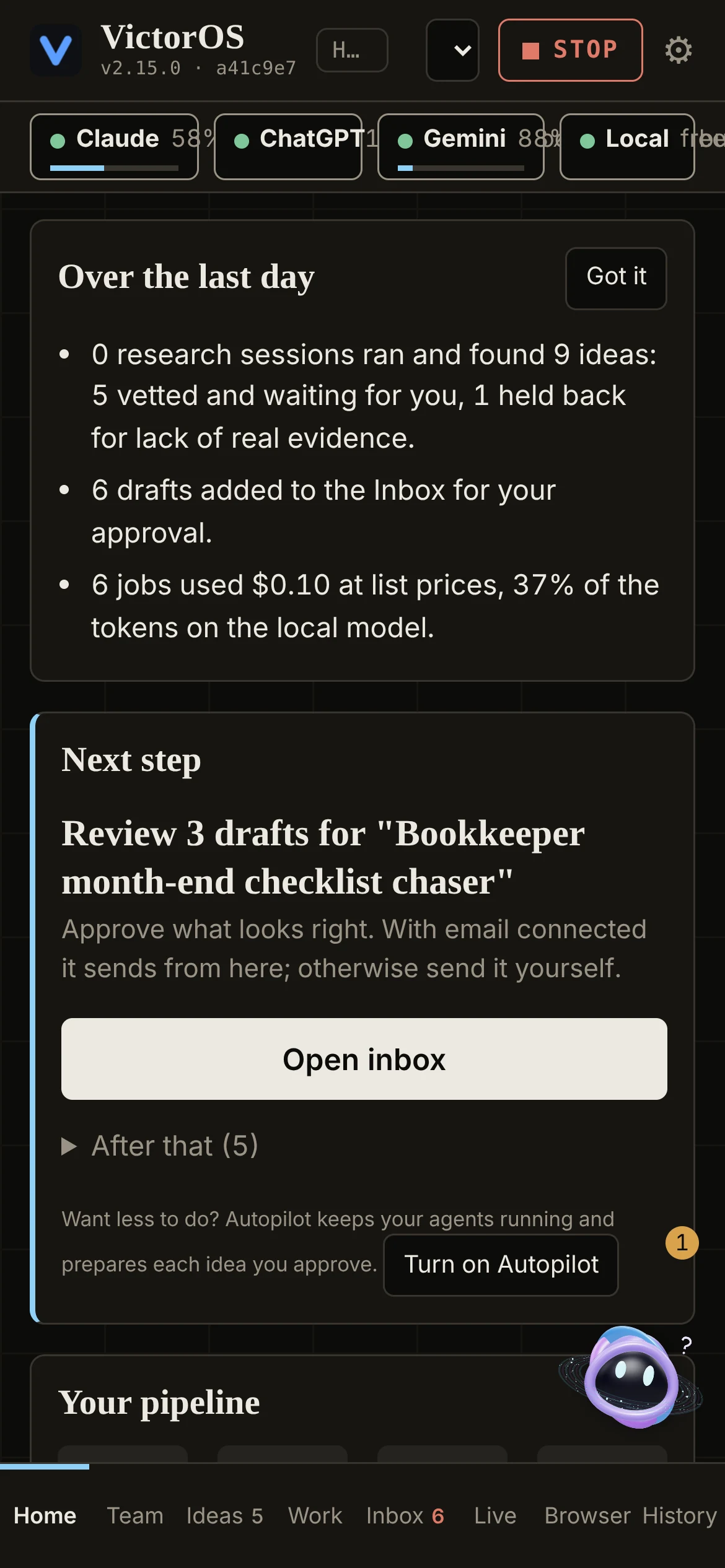
Phone. It is on your phone too, over your own network. 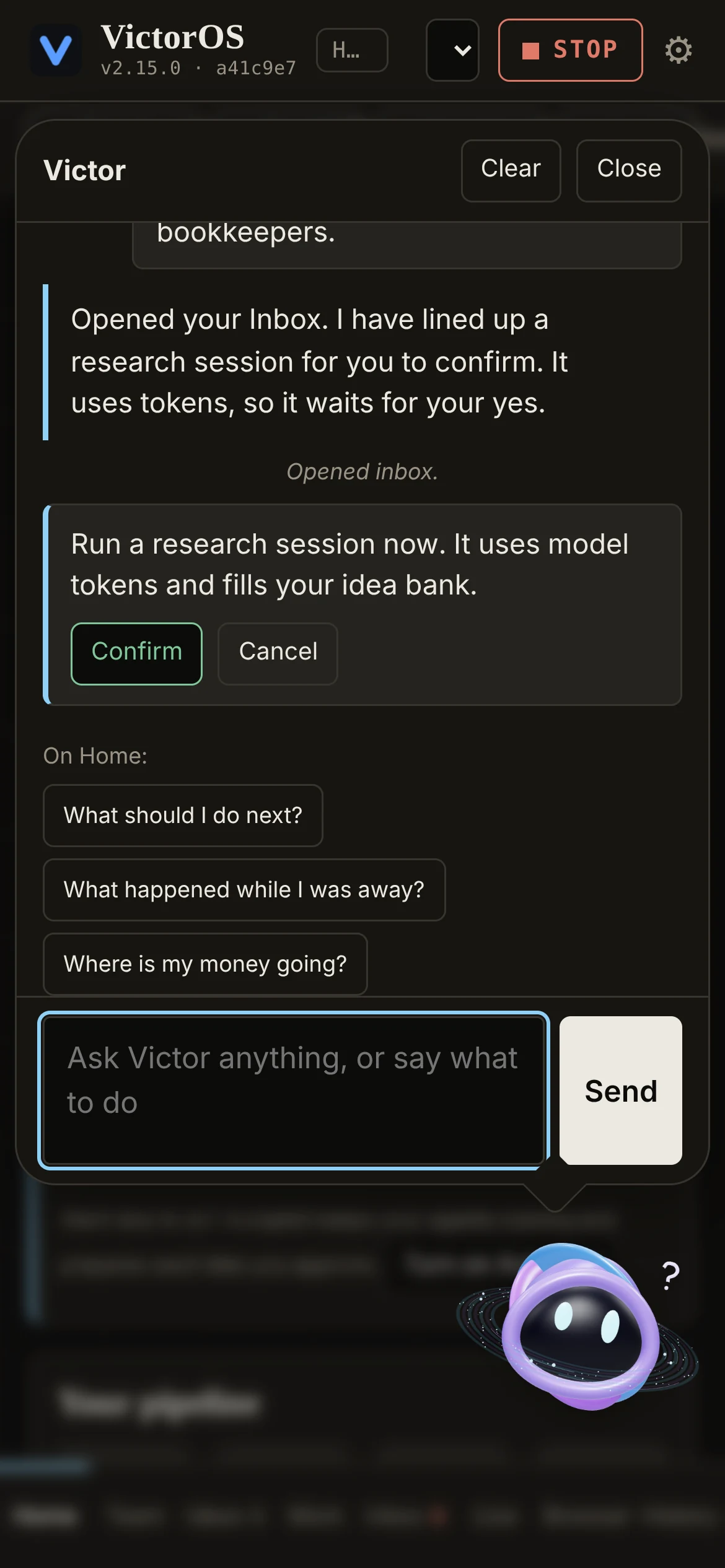
Phone chat. Victor's chat on a phone. 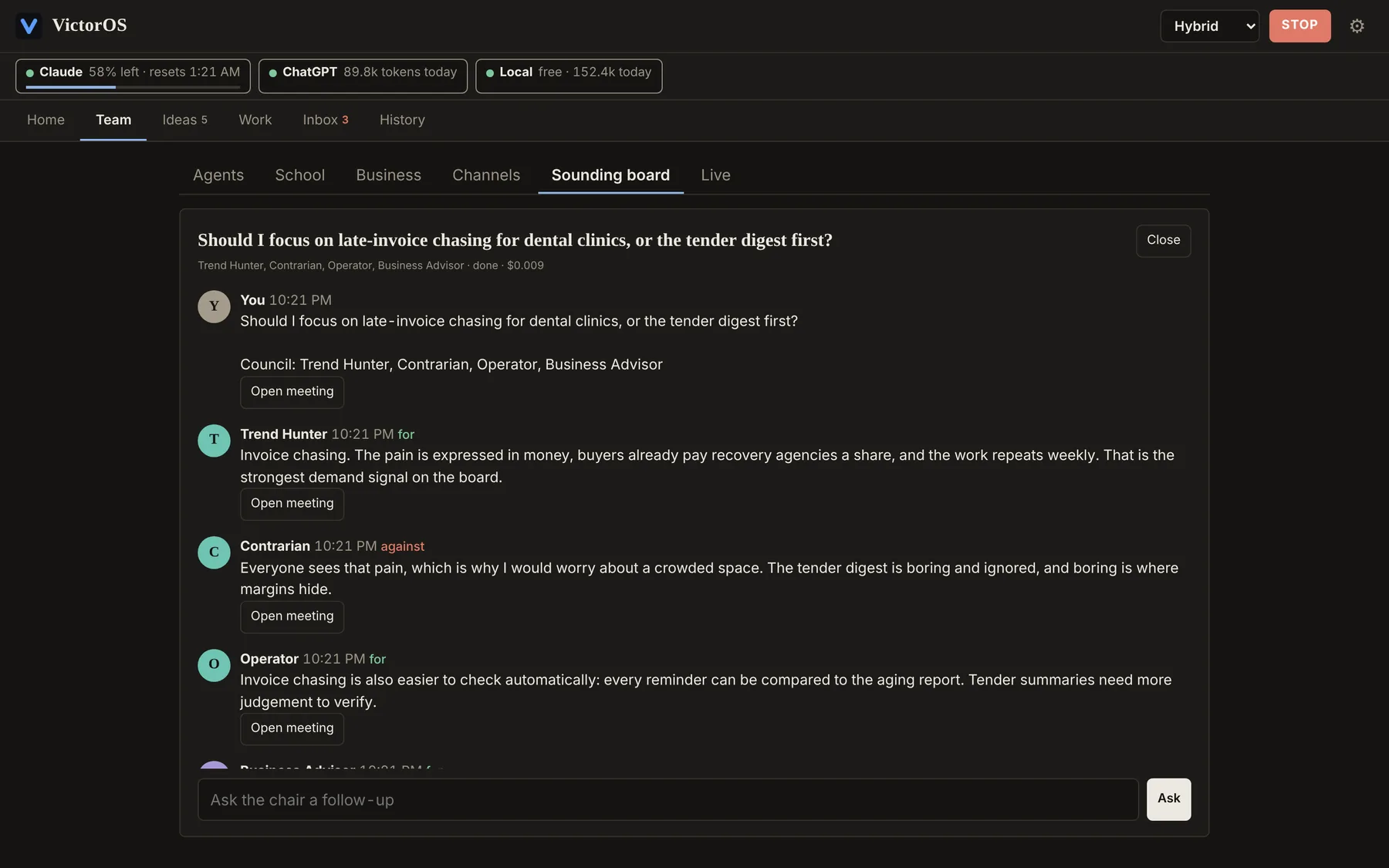
Sounding board. A council debates your question and a chair gives a verdict. Everything said is kept. 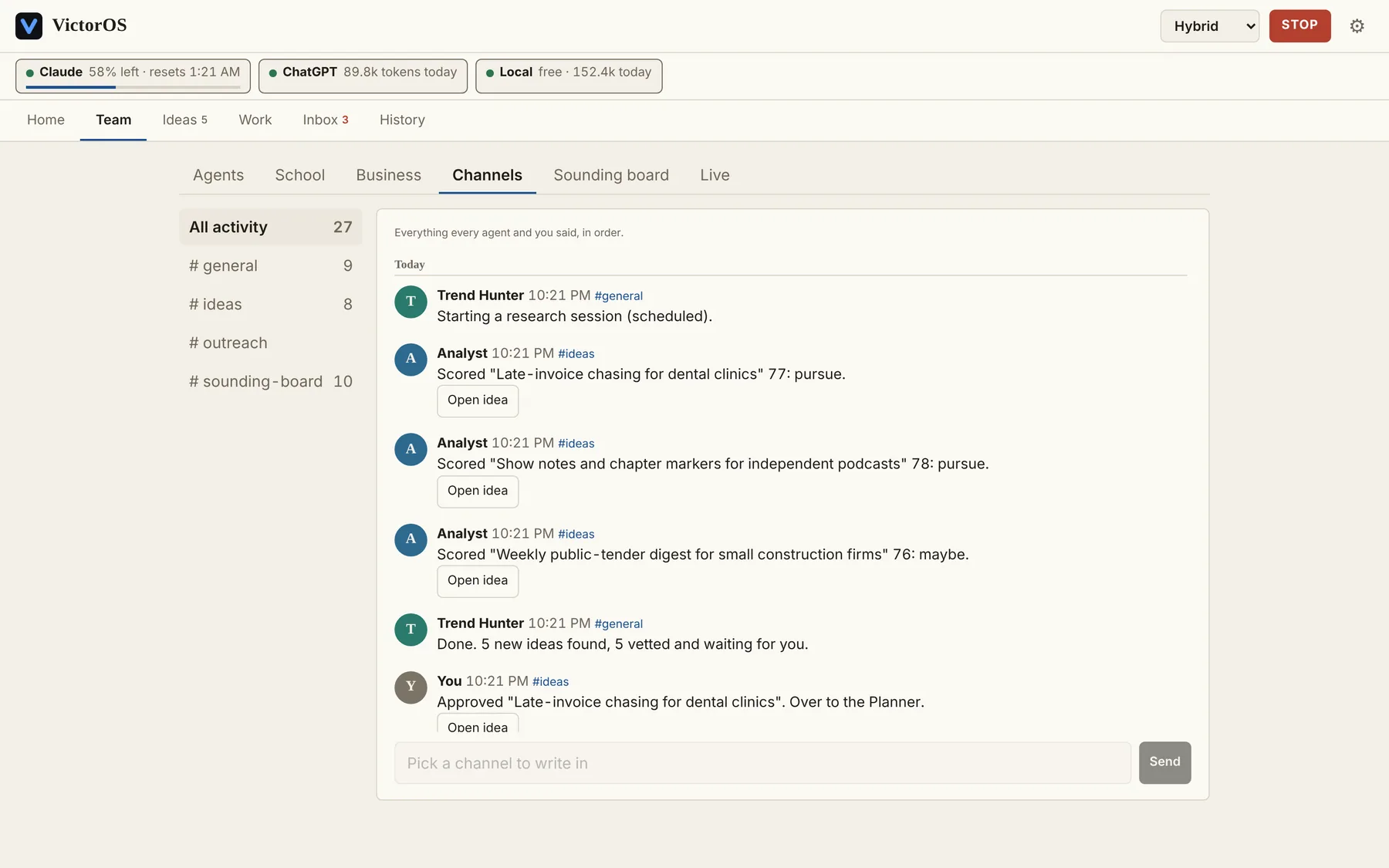
Team room. Every agent posts what it does, in its own voice. So do your decisions. 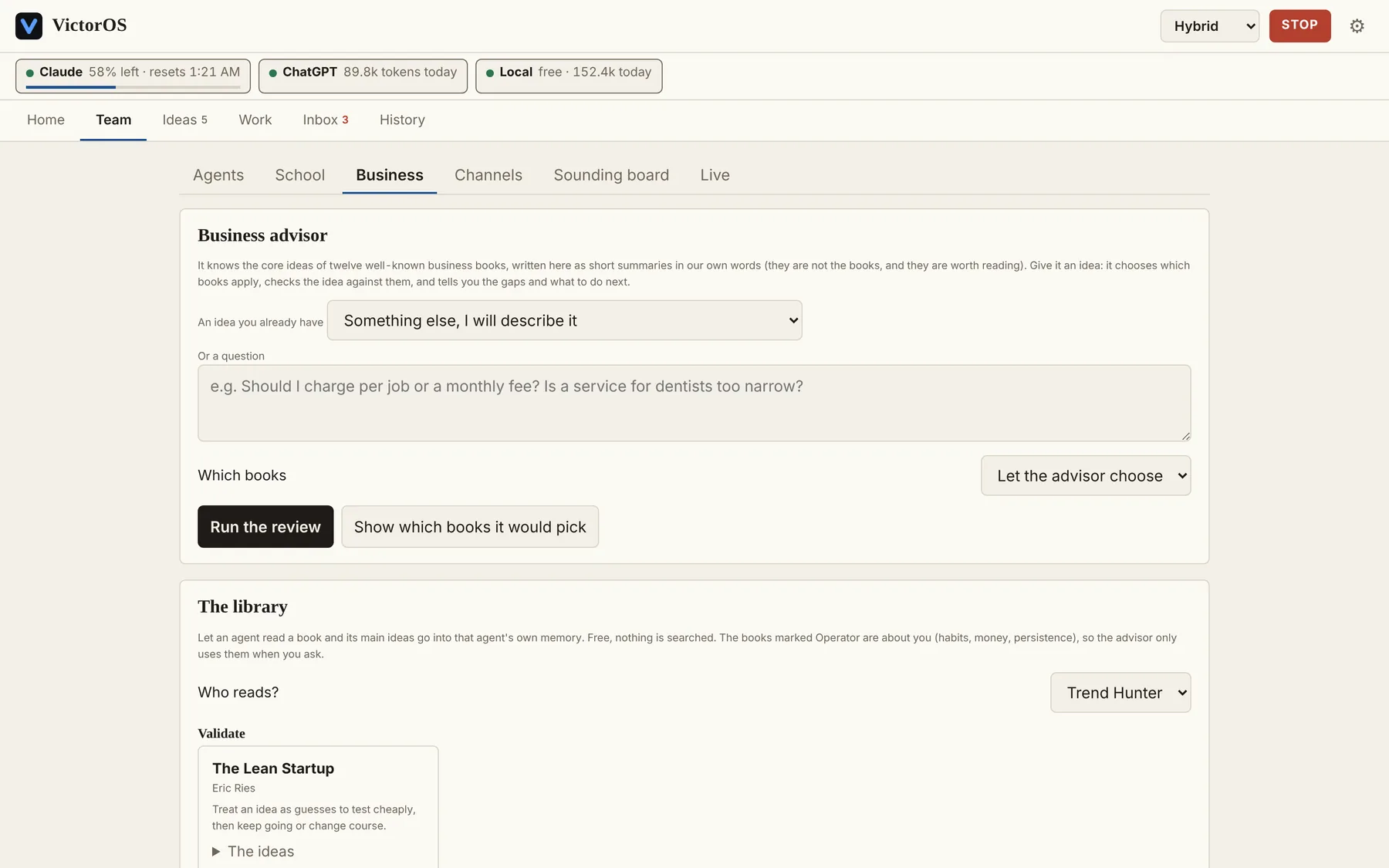
Business. Twelve business books, summarised in my own words. They are not the books.
07 Engines and cost
Choose the engine.
Watch the tokens.
A switch in the header picks Claude, ChatGPT, Local or Hybrid. Add Other AI (Gemini, Kimi, DeepSeek, OpenRouter, or a server on your Mac) as one more engine. A bar shows what each has left, before a job starts. In Hybrid, small jobs run on the local model for free, and a Dispatcher agent plans where the big ones go, with a reason for each.
Connect your AI with buttons: install Claude Code or Codex, sign in, done. No terminal. Run an engine empty below. It is not asked again until it should be back, and the job moves on. If none has room, the job stops with a clear message instead of failing partway.
Simulation. Bars are illustrative, not real usage. Other AI cannot search the web, so it only takes jobs that need no web search.
Try it. It halts every animation on this page, the way the header button halts every agent.
08 Safety
One button stops everything.
- Kill switch.
Cancels running agents, blocks new ones, and survives a restart. The browser agent checks it before every step, and its own Stop button closes its window at any moment.
- Browser safety.
The browser agent uses a window of its own, apart from your everyday browser. Downloads and camera, microphone and location requests are refused. It only opens the public web, never types a password, and anything that sends, buys or deletes waits for your yes.
- Approval inbox.
Outreach, landing copy, customer deliverables and alerts wait for a click.
- Spending limits.
Per search, per idea, per day, and for what agents do on their own.
- Keys stay on your Mac.
Readable only by you, changeable only from that Mac, and never in backups.
- Web content is untrusted.
Agents are told never to follow instructions found in pages or replies.
- Email is on you.
The app helps with opt-outs, a daily cap and a do-not-email list. It does not make cold outreach legal or safe by itself, and this is not legal advice.
09 Under the hood
Plain parts.
Stated plainly.
$ electron, macOS arm64, unsigned build
$ node backend, zero dependencies
$ plain JavaScript interface, no frameworks. The 3D Victor uses three.js (MIT)
$ data: local folder, plain JSON files
$ works with: Claude (Claude Code or API), ChatGPT (Codex or API), Ollama, any service that speaks the OpenAI chat format (Gemini, Kimi, DeepSeek, OpenRouter), AgentMail, Reddit, Brave Search, ntfy
$ tests: hundreds of unit tests and a browser suite, CI on every push, all against mock services
$ updates: pulls from its git repo and rebuilds on the owner's Mac. Not a public updater
Status: pre-release, tested against mock services. Not yet run with real accounts at scale.
NOT BUILT
- VictorOS does not host pages, take payments or deliver to customers. It can publish a landing page to your own repository, only when you press Publish. Taking money is manual.
- No cloud service, accounts or team features. One person, one Mac.
- No keyword-volume lookup.
- No Apple on-device model support.
- No App Store or signed distribution.
ON THE ROADMAP
Intentions, not promises or dates: on-device models, keyword volume, signed distribution.
10 Pre-release
Be told when it drops.
VictorOS is not public yet. Leave your address and you will get one email when access opens, not a newsletter.
Your address is used only to tell you when VictorOS is available. Ask and it is removed. No tracking scripts, no cookies on this page.
- One email, not a newsletter
- No tracking, no cookies
- Removed if you ask
Pre-release v2.15 · Claude, ChatGPT, Gemini, Ollama, Reddit, Brave Search, AgentMail and ntfy are named only to say what it works with; their owners do not endorse it. The business-book summaries are not the books.